Plant App - Identifier & Care
- 3.9
- Rating
- 1.00M
- Installs
- Free
- Price

 Analysis by App-foxy
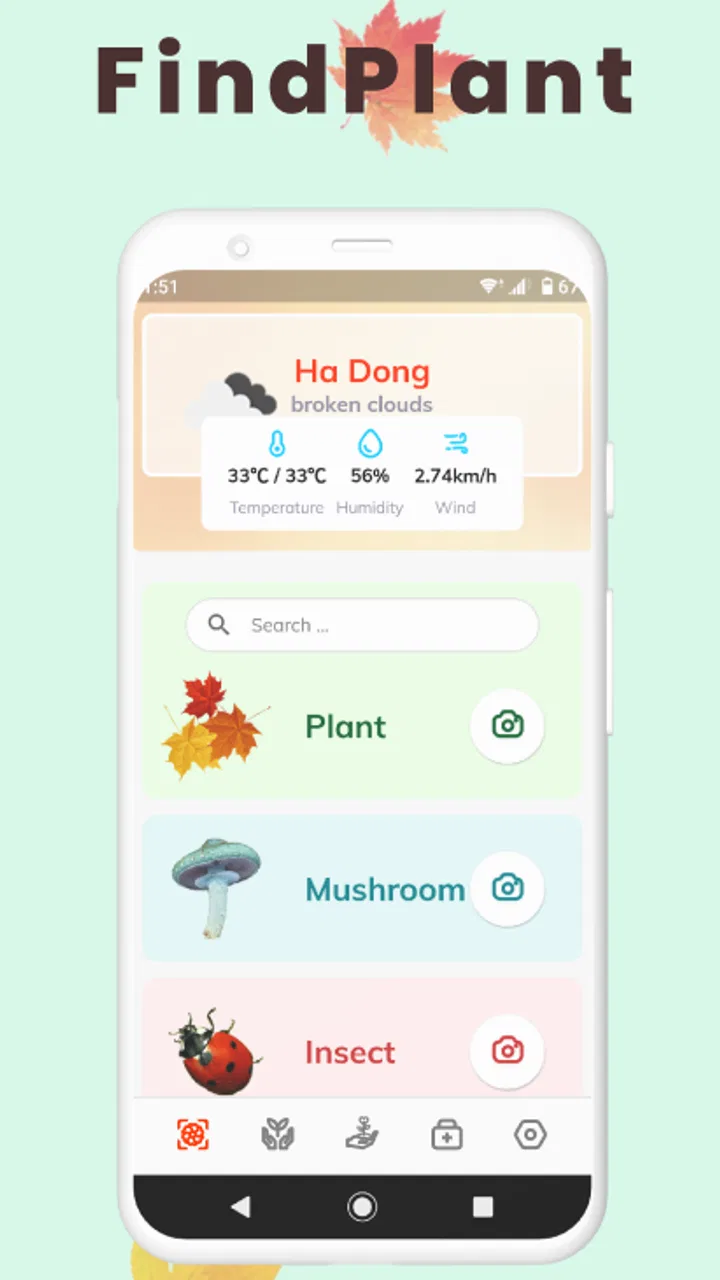
Plant App - Identifier & Care is the kind of education app I reach for when I have a plant in front of me and no idea what it is. Its main attraction is simple: use the camera to get help identifying a plant, tree, weed, or flower, and use the result as a starting point for understanding possible problems. That sounds modest, but it can be genuinely useful when a mystery plant appears in a garden bed or a houseplant suddenly looks unhealthy.
I spent time treating it less like a plant encyclopedia and more like a quick visual assistant. That distinction matters. The app is convenient for narrowing down possibilities, but I would not treat one image as a final scientific identification or a professional diagnosis. In my experience, its value comes from combining a fast first answer with careful observation afterward.
Developed by HUONG DAO, this free education app is available for Everyone and has reached over a million installs. It carries a 3.9 average from around eight thousand ratings, which feels consistent with an app that can be very handy in the right moment but still depends heavily on the quality of the photo and the clarity of the plant.
You May Also Like

 Blood Strike: 2.5 Anniversary
Blood Strike’s Loadouts Turn Every Drop Into a Tactical Gamble
A close look at Blood Strike’s custom loadouts: how fast access to signature weapons reshapes its battle royale rhythm, rewards preparation, and narrows the gap between fights.

 Pandora - Music & Podcasts
Pandora’s Music Is Easy to Start, but Harder to Recover
Pandora’s strength is its low-effort path from a seed to a station. Its weak spot is how much confidence it asks you to place in connection, setup, and quiet recovery.

 8 Ball Pool
 Is Built on Rivalries, Rematches, and Routine
A close look at the rivalries, rematches, shared routines, and unanswered safety questions that turn a quick pool match into a persistent mobile community.

 Samsung Music
’s Quiet Strength Is Playing What You Already Own
Its reach comes less from spectacle than from dependable access to a personal library. That simplicity is both the app’s strongest retention engine and its ceiling.

 AccuWeather: Weather Radar
AccuWeather Review: A Quick, Clear Forecast for Everyday Decisions
For everyday plans, the best forecast is the one you can understand quickly. AccuWeather makes rain timing, radar, and local conditions easy to act on, with a few trade-offs.

 Hill Climb Racing
Why Hill Climb Racing Still Turns Crashes Into One More Run
A tiny car, a bumpy hill and one more upgrade: Hill Climb Racing keeps resurfacing because its simple chaos makes every near-miss feel personal.
More From Our News Desk



What the visual identification actually changes
The most important capability here is not simply naming a plant. It is reducing the uncertainty that makes plant care frustrating. If I see a leafy stem growing beside a fence, I may not know whether it is a weed, an ornamental plant, or something worth protecting. A visual identifier gives me a direction before I start searching through unrelated pictures.
That first direction changes the next question I ask. Instead of searching broadly for “plant with yellow leaves,” I can investigate the likely plant and then compare its appearance, growing habits, and common problems. The app’s role is therefore most useful at the beginning of a care decision, not at the end of it.
The same applies to disease checking. A discolored leaf can be caused by several unrelated issues, including watering mistakes, environmental stress, pests, or disease. An image-based suggestion may help me notice a pattern I would otherwise overlook, but it should encourage closer inspection rather than immediate treatment. Use the result as a clue, not as permission to apply chemicals or remove a plant.
I also like that the focus covers more than popular indoor plants. A tool limited to familiar houseplant varieties would be less useful for people who spend time in gardens, parks, or outdoor growing spaces. The ability to point it toward trees, flowers, and weeds makes it more relevant for casual nature observation as well as routine care.
Why a photo is only as good as the question behind it
When I use a visual plant tool, I try to decide what I want to identify before taking the picture. A whole-plant image can show growth shape and location, while a close view can reveal leaf edges, spots, or insect damage. Taking the wrong kind of image can produce a less useful answer even when the app itself is working normally.
For identification, I would begin with a clear view of the leaves and overall structure. For a suspected problem, I would include both a healthy-looking area and the damaged section when possible. That comparison gives me a better basis for judging whether the issue is isolated or spreading. It is a small workflow change, but it makes the app more useful than simply pointing the camera at the nearest leaf.
Lighting also affects the practical result. Strong shadows can make healthy leaves look blotchy, while a very close image can hide the shape of the plant. I found it more sensible to take a steady, well-lit picture first and then a second detail image if the concern is disease. The app can help interpret what it sees, but it cannot recover details that are missing from the photograph.
Using the result without overtrusting it
After receiving an identification or possible diagnosis, I would compare the suggestion with the plant’s actual appearance. Does the leaf arrangement make sense? Is the stem shape compatible? Are the damaged areas located where the suggested problem would normally appear? These checks are especially important when several plants share similar colors or leaf shapes.
A useful habit is to record the context in your own notes: whether the plant is indoors or outside, how much light it gets, whether the soil stays wet, and when the symptoms first appeared. The app may help with the visual part, but context often separates one care problem from another. A yellow leaf after a sudden change in light is a different situation from yellow leaves spreading through constantly wet soil.
This is also where the app compares favorably with a normal web search. Search engines can provide more depth, but they often return a mixture of unrelated images and advice. Starting with a visual suggestion makes that research more focused. On the other hand, a specialist plant forum or a trusted horticulture guide may be better when the symptoms are severe, unusual, or affecting a valuable plant.
How it fits into an ordinary day
Imagine finding a volunteer plant growing in a pot that you thought contained only herbs. I would photograph the leaves and overall shape, check the suggested identity, and then decide whether it is worth keeping. If the result points toward a useful plant, I can investigate its light and watering needs. If it looks like a weed, I can remove it with more confidence instead of guessing.
Another realistic situation is a houseplant that develops pale patches while the rest of the leaves remain healthy. I would photograph the affected area, inspect the underside of the leaves for visible pests, and use the app’s result as one possible explanation. Before changing several care habits at once, I would check the plant’s recent light, watering, and placement. This prevents the common mistake of making a stressed plant worse through rushed treatment.
For outdoor use, the app can make a walk more engaging. A flower or tree that catches my attention becomes a small learning opportunity rather than an anonymous piece of scenery. Parents and children can use that process to connect a name with the physical features they can see. Since the content rating is Everyone, it is positioned for broad everyday use rather than a specialist audience.
There is also a practical benefit for beginners who feel embarrassed about not knowing basic plant names. I would rather take a picture and start learning than avoid asking because the plant seems too ordinary. The app lowers that barrier, especially when the goal is curiosity rather than formal study.
A workflow I would recommend
My preferred routine is deliberately cautious:
Take one image showing the whole plant and another showing the most important leaf or flower detail.
Use the suggested identity to narrow the search, then compare it with the plant’s visible structure.
If the app indicates a disease or care issue, inspect the plant and its growing conditions before acting.
Make one small care change at a time so you can tell what helped or harmed the plant.
This approach turns the application from a one-tap answer machine into a useful observation tool. The non-obvious advantage is that it helps organize what to look at next. That is often more valuable for a beginner than receiving a long list of plant facts without knowing which ones apply.
Where the experience becomes less certain
The central trade-off is unavoidable: visual recognition is convenient, but plants can look very different depending on age, season, lighting, damage, and growing conditions. A young specimen may not resemble the mature examples used for comparison. Two unrelated plants can also share similar leaves, while one species can show several forms.
Disease diagnosis has an even higher risk of confusion. Symptoms overlap, and a photograph may not reveal what is happening around the roots or inside the soil. If a plant is declining quickly, is poisonous, or is part of a valuable collection, I would use the app only as an initial reference and seek a more authoritative opinion before taking major action.
There is another practical limitation for people who want a completely free experience. The app itself is free to download, but in-app purchases range from $1.99 to $104.99 per item. That does not automatically make it poor value, but it does mean I would pay attention to what is available without upgrading and avoid assuming that every useful part is included at no cost.
That pricing structure also affects who should install it. Someone who identifies a plant once every few months may find the free experience sufficient, or may prefer a library-based alternative with no purchase prompts. A keen gardener who uses visual identification regularly may see more reason to consider paid options, but should still judge the cost against how often the feature solves a real problem.
Version and everyday usability
The current version is 2.3.5, and the app supports devices running Android 5.0 or later. That broad minimum requirement makes it approachable for people using older Android hardware, although the actual comfort of camera work will still depend on the phone’s camera and screen. A blurry camera cannot produce a strong result simply because the app is installed.
I would also keep expectations realistic about the difference between speed and depth. A visual identifier is faster than opening a large reference book or browsing dozens of search results, but a reference source usually gives more background and context. Plant App - Identifier & Care is strongest in the first minute of investigation; it is not a replacement for learning how a species behaves throughout the year.
Compared with asking a knowledgeable gardener, the app is more private and immediately available. Compared with an expert, it lacks the human ability to ask follow-up questions about soil texture, recent weather, or a plant’s history. Compared with a general image-search tool, it is more focused on plant-related interpretation, but I would still verify an uncertain result through another reliable source.
Who gets the most from it
I think beginners gain the most because the app turns an intimidating subject into a sequence of manageable steps: take a picture, get a likely direction, observe the plant, and research the next action. It is also a good fit for apartment dwellers with a few houseplants, casual gardeners, parents looking for an interactive nature activity, and walkers who enjoy identifying flowers or trees.
People who regularly care for outdoor beds may appreciate the coverage of weeds as well as ornamental plants. That combination is more practical than a tool focused only on attractive flowers. It can help distinguish a plant worth protecting from one that has appeared where it is not wanted, although I would confirm an uncertain identification before removing anything native or potentially valuable.
I would be more cautious recommending it to advanced growers who already know their plants and want precise diagnosis. For them, the app may save time when an unfamiliar species appears, but it is unlikely to replace detailed horticultural references. It is also not the right primary tool for anyone making high-stakes decisions about edible plants, toxicity, severe infestations, or expensive specimens.
One of the strongest ways to use it is alongside, not instead of, other resources. Let the app suggest a name, use a trusted guide to learn the plant’s normal appearance, and observe the conditions around it. That three-part process limits the danger of acting on a visually plausible but incorrect answer.
After using it this way, I see Plant App - Identifier & Care as a practical first step for plant curiosity and everyday troubleshooting. It does not remove the need for judgment, but it can make the first investigation quicker and less confusing. The free entry point is appealing, the Everyone rating keeps it accessible, and the focus on identification gives it a clear purpose.
My recommendation is positive for beginners and casual plant owners who want a quick visual starting point. I would install it for mystery plants, early symptom checks, and learning during walks, while keeping a second source nearby for confirmation. If you want instant guidance and understand its limits, Plant App - Identifier & Care can earn a useful place on your phone; if you need expert-level diagnosis or dislike optional purchases, a specialist reference or human advice will be the better choice.
FAQs for Plant App - Identifier & Care
01What features does the Plant App offer for identifying plants?
The Plant App uses advanced image recognition technology to accurately identify thousands of plant species. Simply take a photo of the plant, and the app provides detailed information including its scientific name, care tips, and potential issues. This makes it an invaluable tool for gardeners and plant enthusiasts.
02How does the app help with plant care?
Beyond identification, the Plant App offers comprehensive care guides tailored to each plant species. Users receive personalized care schedules, including watering, fertilizing, and light requirements. The app also sends reminders for these tasks, ensuring your plants remain healthy and vibrant all year round.
03Is the Plant App user-friendly for beginners?
Absolutely. The Plant App is designed with a clean, intuitive interface suitable for both beginners and experienced gardeners. It offers step-by-step tutorials and a user-friendly navigation system, making it easy to explore the app's features without feeling overwhelmed.
04Does the app require an internet connection to function?
While an internet connection enhances the app's functionality, especially for updates and image recognition, many features are accessible offline. Users can download plant care guides and access previously identified plants without needing to be connected to the internet.
05Is there a community or support feature within the app?
Yes, the Plant App includes a vibrant community feature where users can connect, share experiences, and exchange tips. Additionally, the app provides customer support for troubleshooting and personalized advice, ensuring users can make the most of its features.
Pros
- Accurate plant identification capabilities.
- User-friendly interface for all ages.
- Comprehensive care tips for each plant.
- Offline mode available for remote areas.
- Frequent updates with new plant data.
Cons
- In-app purchases can be expensive.
- Occasional glitches in plant recognition.
- Requires large storage space.
- Limited community interaction features.
- Needs strong internet for initial setup.

Plant App - Identifier & Care
Gallery